SharePoint Site Scripts and Site Designs - April 2018 release We are happy to announce the availability of additional Site Script Actions for SharePoint Online Site Designs and Site Scripts. These new actions will enable you to further configure automatically the newly created site collections for your employees and will reduce the requirements of having external services integrated with the provisioning process. We will keep on introducing new Site Script Actions also in future, so please keep the feedback coming, so that we can address also your requirements. Site Settings setRegionalSettings - Used to configure the regional settings of the site setSiteExternalSharingCapability - Used to manage guest access Lists & Libraries createSiteColumn - Defines a new site column that can then be associated to a list directly or using the addContentType action addSiteColumn - Subaction to add a previously defined site column directly to a list or content type createContentType - Defines a new content type that can then be associated to a list using the addContentType action addSPView - Defines and adds a view to the list addSPFieldXml - Enables defining fields and their elements using Collaborative Application Markup Language (CAML) Additional field properties: internal name, group, enforce unique Apps & Solutions installSPFxSolution - Install add-in or SharePoint Framework solution from the tenant app catalog Associate SharePoint Framework extension action also coming soon Miscellaneous triggerFlow action supports additional site properties joinHub action has now also name parameter Invoke-SPOSiteDesign cmdlet to apply Site Design to an existing site (also supported through APIs) site design default preview image Site Designs JSON schema documentation has been updated accordingly in the official SharePoint developer documentation. We will be publishing also official JSON schema for the Site Designs within following weeks, which will be kept up to date as we release new actions. New Site Script templates in GitHub We have also released new Site Script templates in GitHub, which demonstrate the usage of now introduced new Site Script actions. install-spfx-solution - Install SharePoint Framework solution from tenant app catalog to the site site-apply-external-sharing-setting - Configure external sharing for the site site-apply-regional-settings - Configure regional settings for the site site-create-advanced-lists - Create Advanced Lists site-create-advanced-lists2 - Create Advanced Lists - addSPFieldXml usage triggerFlow-write-back-site-properties-to-splist - Additional site information with triggerFlow action Additional resources See following resources on the covered topics. SharePoint Site Design and Site Script Overview Get started creating Site Designs and Site Scripts Site Design JSON Schema Reference Site Script templates in GitHub - We do welcome community contributions here! “Sharing is caring” SharePoint Team, Microsoft - 10th of April 2018 - Cross-posted from dev.office.com/blogs By Vesa Juvonen
We are happy to announce the availability of additional Site Script Actions for SharePoint Online Site Designs and Site Scripts. These new actions will enable you to further configure automatically the newly created site collections for your employees and will reduce the requirements of having ext.....
https://techcommunity.microsoft.com/t5/SharePoint-Blog/SharePoint-Site-Scripts-and-Site-Designs-April-2018-release/ba-p/181254
from iImagineIT, Inc.
Tuesday, April 10, 2018


Office Dev Center - SharePoint Site Scripts and Site Designs - April 2018 release
SharePoint Site Scripts and Site Designs - April 2018 release We are happy to announce the availability of additional Site Script Actions for SharePoint Online Site Designs and Site Scripts. These new actions will enable you to further configure automatically the newly created site collections for your employees and will reduce the requirements of having external services integrated with the provisioning process. We will keep on introducing new Site Script Actions also in future, so please keep the feedback coming, so that we can address also your requirements. Site Settings setRegionalSettings - Used to configure the regional settings of the site setSiteExternalSharingCapability - Used to manage guest access Lists & Libraries createSiteColumn - Defines a new site column that can then be associated to a list directly or using the addContentType action addSiteColumn - Subaction to add a previously defined site column directly to a list or content type createContentType - Defines a new content type that can then be associated to a list using the addContentType action addSPView - Defines and adds a view to the list addSPFieldXml - Enables defining fields and their elements using Collaborative Application Markup Language (CAML) Additional field properties: internal name, group, enforce unique Apps & Solutions installSPFxSolution - Install add-in or SharePoint Framework solution from the tenant app catalog Associate SharePoint Framework extension action also coming soon Miscellaneous triggerFlow action supports additional site properties joinHub action has now also name parameter Invoke-SPOSiteDesign cmdlet to apply Site Design to an existing site (also supported through APIs) site design default preview image Site Designs JSON schema documentation has been updated accordingly in the official SharePoint developer documentation. We will be publishing also official JSON schema for the Site Designs within following weeks, which will be kept up to date as we release new actions. New Site Script templates in GitHub We have also released new Site Script templates in GitHub, which demonstrate the usage of now introduced new Site Script actions. install-spfx-solution - Install SharePoint Framework solution from tenant app catalog to the site site-apply-external-sharing-setting - Configure external sharing for the site site-apply-regional-settings - Configure regional settings for the site site-create-advanced-lists - Create Advanced Lists site-create-advanced-lists2 - Create Advanced Lists - addSPFieldXml usage triggerFlow-write-back-site-properties-to-splist - Additional site information with triggerFlow action Additional resources See following resources on the covered topics. SharePoint Site Design and Site Script Overview Get started creating Site Designs and Site Scripts Site Design JSON Schema Reference Site Script templates in GitHub - We do welcome community contributions here! “Sharing is caring” SharePoint Team, Microsoft - 10th of April 2018 by
Toggle navigation Explore Why Office? Office UI Fabric Microsoft Graph Better with Office Go To Market Industry Verticals Business Platform Products Word Excel PowerPoint Outlook OneDrive OneNote SharePoint Skype Access Project Yammer Microsoft Teams Technology Android ASP .NET iOS JavaScript Node.j...
https://dev.office.com:443/blogs/sharepoint-site-scripts-and-site-designs-april-2018-release
from iImagineIT, Inc.
Toggle navigation Explore Why Office? Office UI Fabric Microsoft Graph Better with Office Go To Market Industry Verticals Business Platform Products Word Excel PowerPoint Outlook OneDrive OneNote SharePoint Skype Access Project Yammer Microsoft Teams Technology Android ASP .NET iOS JavaScript Node.j...
https://dev.office.com:443/blogs/sharepoint-site-scripts-and-site-designs-april-2018-release
from iImagineIT, Inc.
Monday, April 9, 2018
SharePoint Dev Ecosystem / SharePoint PnP - April 2018 update now available
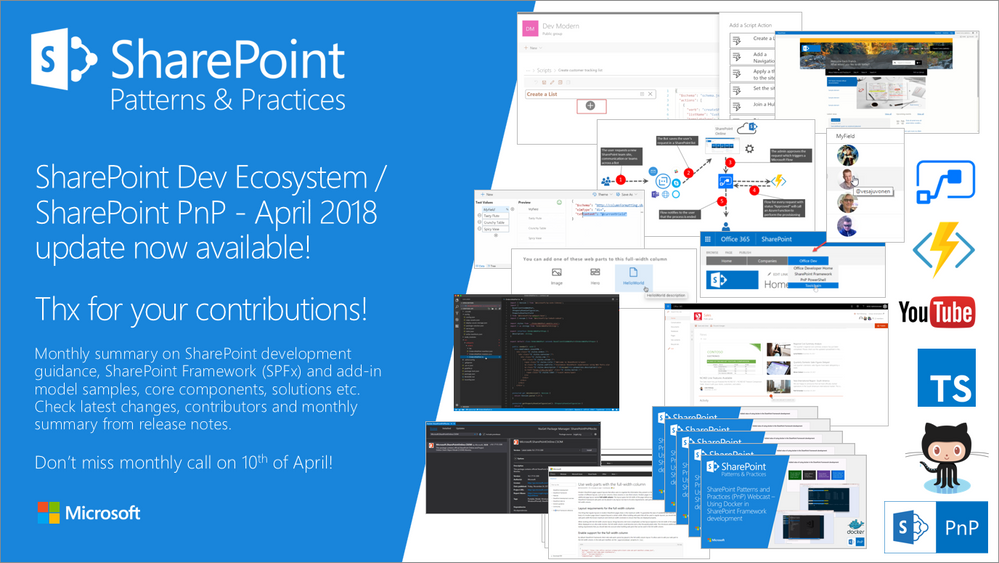
Latest monthly summary of SharePoint Development guidance for SharePoint Online and on-premises now available from the Office 365 Dev Blog. Check the latest news, samples and other guidance from this summary.
from SharePoint Blog articles https://ift.tt/2H8PoMJ
via IFTTT
Friday, April 6, 2018
In June 2018, we're making changes to the native social capabilities in SharePoint Online
In June 2018, we're making changes to the native social capabilities in SharePoint Online.
Office 365 includes two options for enterprise social features: Yammer and the SharePoint Newsfeed.
The native SharePoint social features in SharePoint Online were designed to let people work together in ways that are most effective for them through providing great collaboration tools that anyone can use to share ideas, find people and expertise, and location business information.
Over the course of the past 18 months we've introduced new capabilities designed to take advantage of the latest innovations across intelligence, mobile and more to deliver solutions that allow people to communicate more effectively from Office 365 Groups to Team News, Communication Sites, and Yammer.
With these new innovations deployed globally we'll be making changes to the native social features in SharePoint Online. In June 2018 we'll make the company feed read-only in SharePoint Online and remove the option to implement the Newsfeed feature in navigation and through Tenant Administration.
The company feed is an organization’s public newsfeed. All posts appear to the company, including those created by people that users might not be following.
How does this affect me?
Beginning in June 2018, the company feed will be set to read-only for existing Tenants and the option to implement the Newsfeed capability will be removed for new Office Tenants. For customers using the company feed we recommend considering options such as Team News, Communication Sites, and/or Yammer.
You can learn more about SharePoint Communication Sites at https://ift.tt/2yxzbN8 and Team News in SharePoint Online at https://ift.tt/2EtreaI.
Frequently Asked Questions
Does this change affect the Site Feed feature?
No- we will continue to support Site Feed in its current form.
Are there any other features impacted with this change?
No- this change impacts only the Aggregated Newsfeed feature.
How do I turn on Yammer in my Office 365 Tenant?
Prior to this change Office 365 included two options for enterprise social features: Yammer and the SharePoint Newsfeed. If you pick Yammer to be your social experience, follow the Enterprise Activation process to activate Yammer. After activation, a Yammer tile appears on the Office 365 portal page and the app launcher, making it easy for Office 365 users to reach Yammer. Also, if your network is eligible, users can sign-in to Yammer using their Office 365 account.
What is SharePoint Team News?
Using SharePoint Online team news is how you keep up with and broadcast key events and accomplishments with other members of the team and extended stakeholders. You can use team news for things like trip reports, best practices, project updates, highlights of new documents and content, welcoming a new team member, sharing team goals and celebrating milestones or other scenarios the company feed previously provided. To learn more about SharePoint Online team news refer to https://ift.tt/2GY0d4i.
Will this change affect SharePoint 2016?
No. This change is currently limited to SharePoint Online in Office 365.
from SharePoint Blog articles https://ift.tt/2GEbUK2
via IFTTT
Thursday, April 5, 2018
Office Dev Center - Microsoft Graph community call-April 3, 2018
Microsoft Graph community call-April 3, 2018 Join us on the first Tuesday of every month for the Microsoft Graph API community call. You can download a recurring monthly calendar invite at https://ift.tt/2Etintv. This month's topics: Mark Stafford from the Microsoft Graph team hosted the call and shared the new PowerApp templates powered by Microsoft Graph. Learn more at: https://ift.tt/2uOqhtV Sudhi Ramamurthy from the Office Platform team talked about modern Excel programmability and how you can use Microsoft Graph to power apps that use Excel calc engine. Gavin Barron from Intergen shared a very cool app that he built for his personal productivity. The app uses Microsoft Graph, Bot Framework and Azure Functions, and helps him efficiently manage his calendar. Andrew Connell from Voitanos launched the new Microsoft Graph Community samples repo. Developers can now contribute and share their code and projects that integrate with Microsoft Graph: https://ift.tt/2qd93ll Thanks to our community contributors: Andrew Connell, Gavin Barron, Harmon.ie team, Michael LaMontagne, Laura Kokkarinen, Julie Turner, Manish Kumar, Vesa Juvonen and Paolo Pialorsi Watch the call here. View the presentation here. Next month’s call is on Tuesday, May 1, 2018. Submit your questions and topics here. Resources: From April's call: PowerApps templates: https://ift.tt/2uOqhtV Excel REST API: https://ift.tt/2s5iDpK Microsoft Graph Community repo: https://ift.tt/2qd93ll Microsoft Graph Community call Recurring monthly community call calendar invite - https://ift.tt/2Etintv Monthly community call topic requests and questions - https://aka.ms/ybuw2i Previous monthly call recordings – Office Development YouTube Channel Microsoft Graph feedback Microsoft Graph issues and technical questions - StackOverflow Microsoft Graph recommendations and suggestions - Microsoft Graph UserVoice by
Toggle navigation Explore Why Office? Office UI Fabric Microsoft Graph Better with Office Go To Market Industry Verticals Business Platform Products Word Excel PowerPoint Outlook OneDrive OneNote SharePoint Skype Access Project Yammer Microsoft Teams Technology Android ASP .NET iOS JavaScript Node.j...
https://dev.office.com:443/blogs/microsoft-graph-community-call-april-3-2018
from iImagineIT, Inc.
Toggle navigation Explore Why Office? Office UI Fabric Microsoft Graph Better with Office Go To Market Industry Verticals Business Platform Products Word Excel PowerPoint Outlook OneDrive OneNote SharePoint Skype Access Project Yammer Microsoft Teams Technology Android ASP .NET iOS JavaScript Node.j...
https://dev.office.com:443/blogs/microsoft-graph-community-call-april-3-2018
from iImagineIT, Inc.
Subscribe to:
Posts (Atom)