SharePoint Migration Tool Beta adds early preview capabilities In January we announced General Availability of our SharePoint Migration Tool [https://ift.tt/2DhXaQg], designed to simplify your journey to the cloud through a free, simple, and fast solution to migrate content from on-premises SharePoint sites and file shares to SharePoint or OneDrive in Office 365. Based on our continuous learning and experience from Microsoft FastTrack and feedback from you, we’re pleased to announce new capabilities available in the SharePoint Migration Tool through our new open beta. Getting Started You can download the SharePoint Migration Tool Open Beta at https://ift.tt/2EAHpCR. Through the open beta you’ll have available to you the upcoming innovation we’re delivering to help you bring your information to the cloud and take advantage of the latest collaboration, intelligence, and security solutions with Office 365. What’s new in Open Beta List Support New List support allows you to migrate SharePoint Server 2013 Lists to include the following List Templates: GenericList DocumentLibrary Survey Links Announcements Contacts Events Tasks DiscussionBoard PictureLibrary XMLForm GanttTasks Posts Comments Categories MySiteDocumentLibrary AdminTasks New On-Premises AuthN Support Improvements in the AuthN support now allow you to connect to more on-premises sources with support for AD FS and more, to include: NTLM Kerberos Forms ADFS MFA SAML Claims Client certificates Site Structure Creation Now when migrating your on-premises Lists and documents the SharePoint Migration Tool will create the source site collection or the list for you if it doesn’t already exist, so you don’t have to manually create a destination site. Simply either enter a URL that exist or a valid new URL for the site and the tool will do the rest. JSON Support In the current version of the SharePoint Migration Tool you were limited to CSV as a repository for bulk migrations, now on top of supporting a CSV format for automated migration we will also support JSON which will allow you even more fine grain level of control including Task level setting to be different. Wrapping Up… Whether you’re looking to migrate from file shares on-premises to SharePoint or OneDrive or from on-premises versions of SharePoint, the SharePoint Migration Tool is designed to support the smallest of migrations to large scale migrations with support for bulk scenarios. Learn more about the SharePoint Migration Tool at https://ift.tt/2xiYm1W. Prepare your environment for migration using the SharePoint Migration Assessment Tool by learning more at https://ift.tt/2hblbim. By Bill Baer
In January we announced General Availability of our SharePoint Migration Tool [https://ift.tt/2DhXaQg], designed to simplify your journey to the cloud through a free, simple, and fast solution to mi...
https://techcommunity.microsoft.com/t5/SharePoint-Blog/SharePoint-Migration-Tool-Beta-adds-early-preview-capabilities/ba-p/181628
from iImagineIT, Inc.
Wednesday, April 11, 2018


Office Dev Center - SharePoint Dev Ecosystem / Patterns and Practices - April 2018 monthly community call recording
SharePoint Dev Ecosystem / Patterns and Practices - April 2018 monthly community call recording SharePoint monthly community call is our monthly event for SharePoint developers to stay up to date on the latest changes to SharePoint Dev topics from engineering and community perspective. This monthly community call is on every second Tuesday of each month where we go through a summary of SharePoint Development engineering news, latest guidance, status in UserVoice, community contributions and other relevant topics. You can also check the latest updates from the monthly summary at dev.office.com/blogs.You can download a recurrent invite for these monthly calls from https://ift.tt/2D0UFEb. This is the recording of SharePoint Dev Ecosystem / Patterns and Practices (PnP) monthly community call from Tuesday 10th of April 2018. Here's used agenda with direct links to specific sections, if you want to directly jump to a specific topic (will redirect your browser to SharePoint Dev YouTube Channel). Latest SharePoint community metrics from March 2018 (YouTube, GitHub etc.) - 5:20 A quick look at the SharePoint Developer roadmap - 10:32 Top 10 UserVoice entries for SharePoint Dev and quick status - https://ift.tt/2D1gxiQ - 11:58 Summary of April 2018 Release - Summary of released materials around SharePoint Development since last monthly call - 14:43 Community contributors and companies which have been involved - 18:15 Topic - Site Design and Site Scripts. Basics and new actions announced in this community call - Sean Squires (Microsoft) - 46:16 Full recording - available from SharePoint Developer YouTube channel - https://ift.tt/2yzqpxK. Presentation slides used in the call Additional resources Additional resources on covered topics and discussions. SharePoint Development April 2018 monthly summary Recurrent invite to SharePoint Development monthly calls - https://ift.tt/2D0UFEb SharePoint Developer documentation - https://ift.tt/2mnffrp SharePoint Development Issues - https://ift.tt/2mfWwKM SharePoint GitHub organization - https://ift.tt/2gq6MBk SharePoint Development UserVoice - new feature requests - https://ift.tt/2D1gxiQ Site Scripts in GitHub - https://ift.tt/2IM8Dch Yannick Plenevaux's Site Design Studio - SharePoint Framework client-side web part to design Site Scripts "Too many links, can't remember" - not a problem... just one is enough with http://aka.ms/sppnp. “Sharing is caring” SharePoint Team, Microsoft - 11th of April 2018 by
Toggle navigation Explore Why Office? Office UI Fabric Microsoft Graph Better with Office Go To Market Industry Verticals Business Platform Products Word Excel PowerPoint Outlook OneDrive OneNote SharePoint Skype Access Project Yammer Microsoft Teams Technology Android ASP .NET iOS JavaScript Node.j...
https://dev.office.com:443/blogs/sp-dev-april-2018-monthly-community-call-recording
from iImagineIT, Inc.
Toggle navigation Explore Why Office? Office UI Fabric Microsoft Graph Better with Office Go To Market Industry Verticals Business Platform Products Word Excel PowerPoint Outlook OneDrive OneNote SharePoint Skype Access Project Yammer Microsoft Teams Technology Android ASP .NET iOS JavaScript Node.j...
https://dev.office.com:443/blogs/sp-dev-april-2018-monthly-community-call-recording
from iImagineIT, Inc.
Tuesday, April 10, 2018
SharePoint Site Scripts and Site Designs - April 2018 release
SharePoint Site Scripts and Site Designs - April 2018 release We are happy to announce the availability of additional Site Script Actions for SharePoint Online Site Designs and Site Scripts. These new actions will enable you to further configure automatically the newly created site collections for your employees and will reduce the requirements of having external services integrated with the provisioning process. We will keep on introducing new Site Script Actions also in future, so please keep the feedback coming, so that we can address also your requirements. Site Settings setRegionalSettings - Used to configure the regional settings of the site setSiteExternalSharingCapability - Used to manage guest access Lists & Libraries createSiteColumn - Defines a new site column that can then be associated to a list directly or using the addContentType action addSiteColumn - Subaction to add a previously defined site column directly to a list or content type createContentType - Defines a new content type that can then be associated to a list using the addContentType action addSPView - Defines and adds a view to the list addSPFieldXml - Enables defining fields and their elements using Collaborative Application Markup Language (CAML) Additional field properties: internal name, group, enforce unique Apps & Solutions installSPFxSolution - Install add-in or SharePoint Framework solution from the tenant app catalog Associate SharePoint Framework extension action also coming soon Miscellaneous triggerFlow action supports additional site properties joinHub action has now also name parameter Invoke-SPOSiteDesign cmdlet to apply Site Design to an existing site (also supported through APIs) site design default preview image Site Designs JSON schema documentation has been updated accordingly in the official SharePoint developer documentation. We will be publishing also official JSON schema for the Site Designs within following weeks, which will be kept up to date as we release new actions. New Site Script templates in GitHub We have also released new Site Script templates in GitHub, which demonstrate the usage of now introduced new Site Script actions. install-spfx-solution - Install SharePoint Framework solution from tenant app catalog to the site site-apply-external-sharing-setting - Configure external sharing for the site site-apply-regional-settings - Configure regional settings for the site site-create-advanced-lists - Create Advanced Lists site-create-advanced-lists2 - Create Advanced Lists - addSPFieldXml usage triggerFlow-write-back-site-properties-to-splist - Additional site information with triggerFlow action Additional resources See following resources on the covered topics. SharePoint Site Design and Site Script Overview Get started creating Site Designs and Site Scripts Site Design JSON Schema Reference Site Script templates in GitHub - We do welcome community contributions here! “Sharing is caring” SharePoint Team, Microsoft - 10th of April 2018 - Cross-posted from dev.office.com/blogs By Vesa Juvonen
We are happy to announce the availability of additional Site Script Actions for SharePoint Online Site Designs and Site Scripts. These new actions will enable you to further configure automatically the newly created site collections for your employees and will reduce the requirements of having ext.....
https://techcommunity.microsoft.com/t5/SharePoint-Blog/SharePoint-Site-Scripts-and-Site-Designs-April-2018-release/ba-p/181254
from iImagineIT, Inc.
We are happy to announce the availability of additional Site Script Actions for SharePoint Online Site Designs and Site Scripts. These new actions will enable you to further configure automatically the newly created site collections for your employees and will reduce the requirements of having ext.....
https://techcommunity.microsoft.com/t5/SharePoint-Blog/SharePoint-Site-Scripts-and-Site-Designs-April-2018-release/ba-p/181254
from iImagineIT, Inc.
Office Dev Center - SharePoint Site Scripts and Site Designs - April 2018 release
SharePoint Site Scripts and Site Designs - April 2018 release We are happy to announce the availability of additional Site Script Actions for SharePoint Online Site Designs and Site Scripts. These new actions will enable you to further configure automatically the newly created site collections for your employees and will reduce the requirements of having external services integrated with the provisioning process. We will keep on introducing new Site Script Actions also in future, so please keep the feedback coming, so that we can address also your requirements. Site Settings setRegionalSettings - Used to configure the regional settings of the site setSiteExternalSharingCapability - Used to manage guest access Lists & Libraries createSiteColumn - Defines a new site column that can then be associated to a list directly or using the addContentType action addSiteColumn - Subaction to add a previously defined site column directly to a list or content type createContentType - Defines a new content type that can then be associated to a list using the addContentType action addSPView - Defines and adds a view to the list addSPFieldXml - Enables defining fields and their elements using Collaborative Application Markup Language (CAML) Additional field properties: internal name, group, enforce unique Apps & Solutions installSPFxSolution - Install add-in or SharePoint Framework solution from the tenant app catalog Associate SharePoint Framework extension action also coming soon Miscellaneous triggerFlow action supports additional site properties joinHub action has now also name parameter Invoke-SPOSiteDesign cmdlet to apply Site Design to an existing site (also supported through APIs) site design default preview image Site Designs JSON schema documentation has been updated accordingly in the official SharePoint developer documentation. We will be publishing also official JSON schema for the Site Designs within following weeks, which will be kept up to date as we release new actions. New Site Script templates in GitHub We have also released new Site Script templates in GitHub, which demonstrate the usage of now introduced new Site Script actions. install-spfx-solution - Install SharePoint Framework solution from tenant app catalog to the site site-apply-external-sharing-setting - Configure external sharing for the site site-apply-regional-settings - Configure regional settings for the site site-create-advanced-lists - Create Advanced Lists site-create-advanced-lists2 - Create Advanced Lists - addSPFieldXml usage triggerFlow-write-back-site-properties-to-splist - Additional site information with triggerFlow action Additional resources See following resources on the covered topics. SharePoint Site Design and Site Script Overview Get started creating Site Designs and Site Scripts Site Design JSON Schema Reference Site Script templates in GitHub - We do welcome community contributions here! “Sharing is caring” SharePoint Team, Microsoft - 10th of April 2018 by
Toggle navigation Explore Why Office? Office UI Fabric Microsoft Graph Better with Office Go To Market Industry Verticals Business Platform Products Word Excel PowerPoint Outlook OneDrive OneNote SharePoint Skype Access Project Yammer Microsoft Teams Technology Android ASP .NET iOS JavaScript Node.j...
https://dev.office.com:443/blogs/sharepoint-site-scripts-and-site-designs-april-2018-release
from iImagineIT, Inc.
Toggle navigation Explore Why Office? Office UI Fabric Microsoft Graph Better with Office Go To Market Industry Verticals Business Platform Products Word Excel PowerPoint Outlook OneDrive OneNote SharePoint Skype Access Project Yammer Microsoft Teams Technology Android ASP .NET iOS JavaScript Node.j...
https://dev.office.com:443/blogs/sharepoint-site-scripts-and-site-designs-april-2018-release
from iImagineIT, Inc.
Monday, April 9, 2018
SharePoint Dev Ecosystem / SharePoint PnP - April 2018 update now available
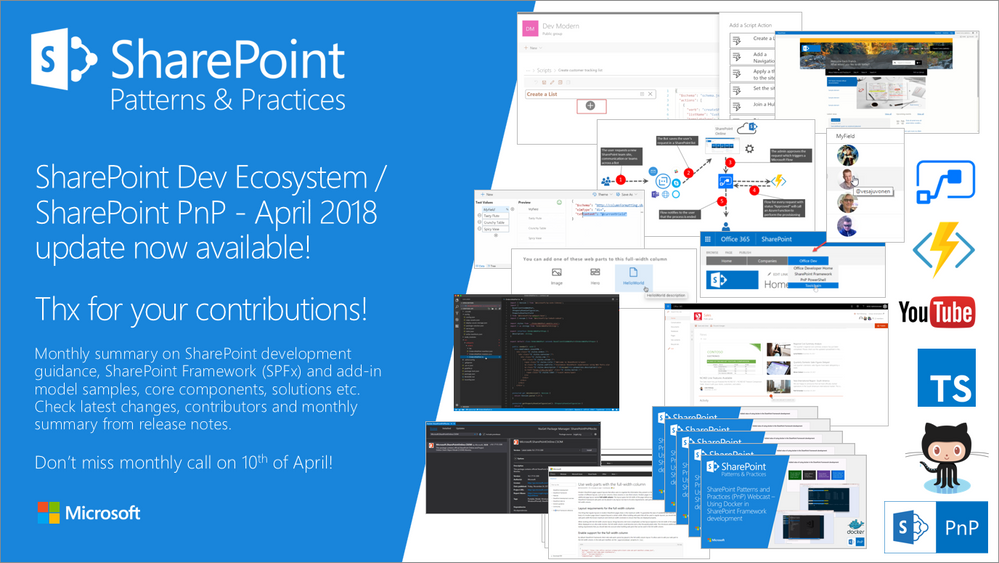
Latest monthly summary of SharePoint Development guidance for SharePoint Online and on-premises now available from the Office 365 Dev Blog. Check the latest news, samples and other guidance from this summary.
from SharePoint Blog articles https://ift.tt/2H8PoMJ
via IFTTT
Subscribe to:
Posts (Atom)